Multi-step formulation
Model blending, extrusion, drying, coating, and packaging in a single recipe. Account for moisture loss, nutrient shifts, and production realities to ensure the product matches your formula.
Smart multi-step pet food formulation without the guesswork
BESTMIX® Recipe Management helps you manage ingredient volatility, control moisture and meet AAFCO & FEDIAF standards from day one. From premium formulations to private label variations: create, optimize, and launch with confidence, while maintaining the highest standards in formulation, regulatory compliance, and labelling.

















Monitor raw material trends, anticipate shortages, and instantly evaluate alternatives. Reformulate in seconds using cost, availability, and nutritional constraints without disrupting production.
Get a demo
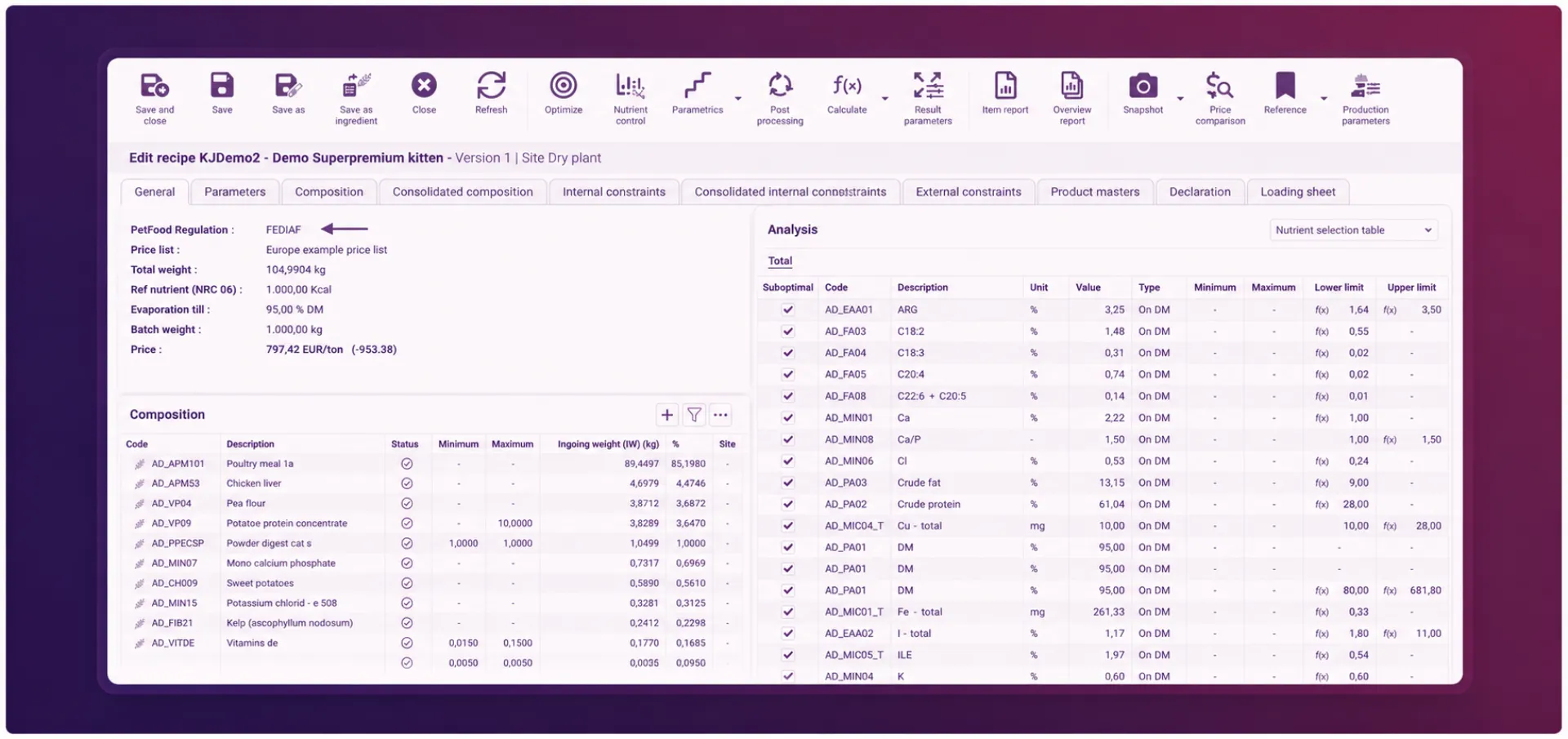
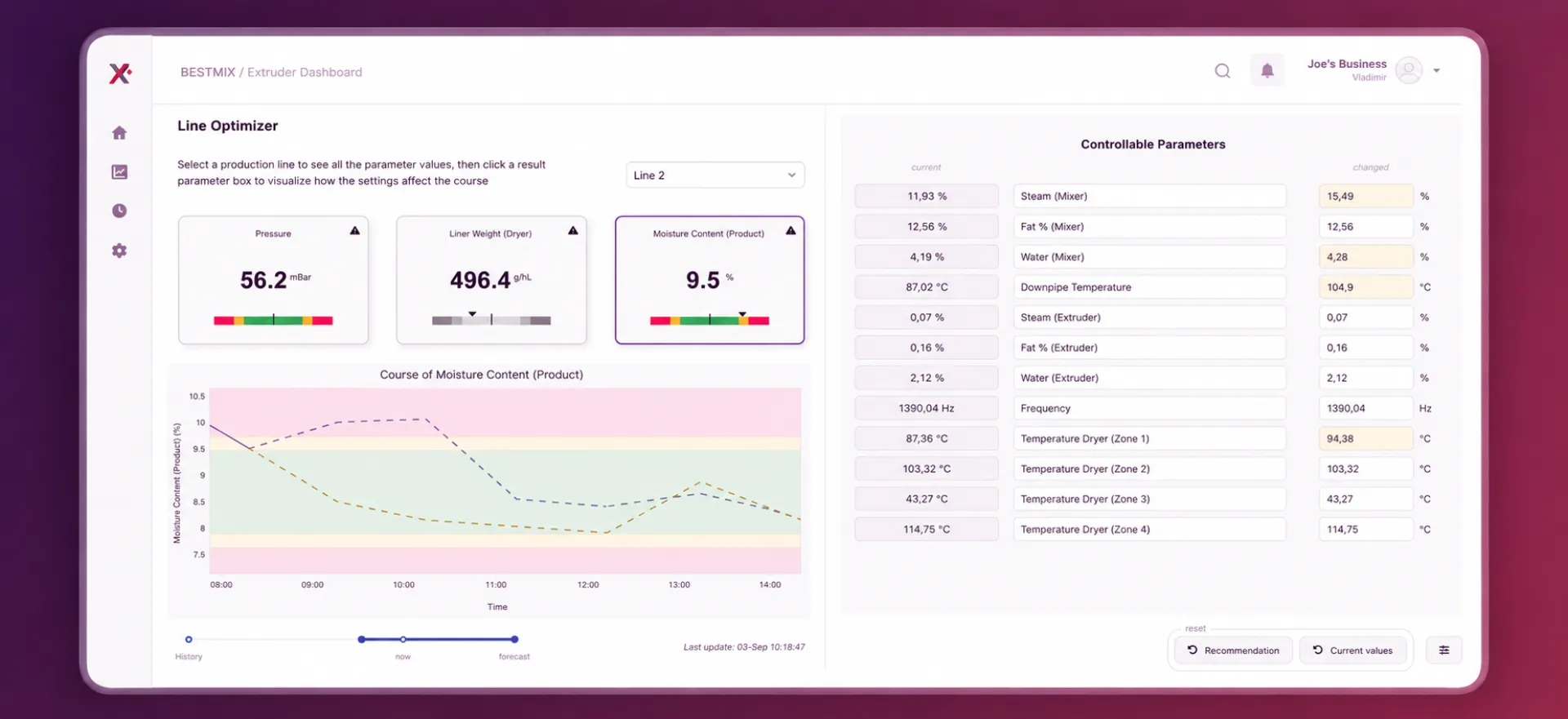
Calculate drying effects and moisture levels directly during formulation. Ensure stable kibble quality, longer shelf life and consistent nutrient values without trial-and-error in production.
See how it works
Stay aligned with AAFCO and FEDIAF standards through built-in updates and validation. Verify nutritional values, ingredient lists and claims early in development to avoid costly rework or recalls.
Check it out
Cloud-based and multilingual, BESTMIX® enables seamless collaboration across R&D, nutrition, procurement and regulatory teams wherever they are. Always up to date, always aligned.
Check it out

Model blending, extrusion, drying, coating, and packaging in a single recipe. Account for moisture loss, nutrient shifts, and production realities to ensure the product matches your formula.
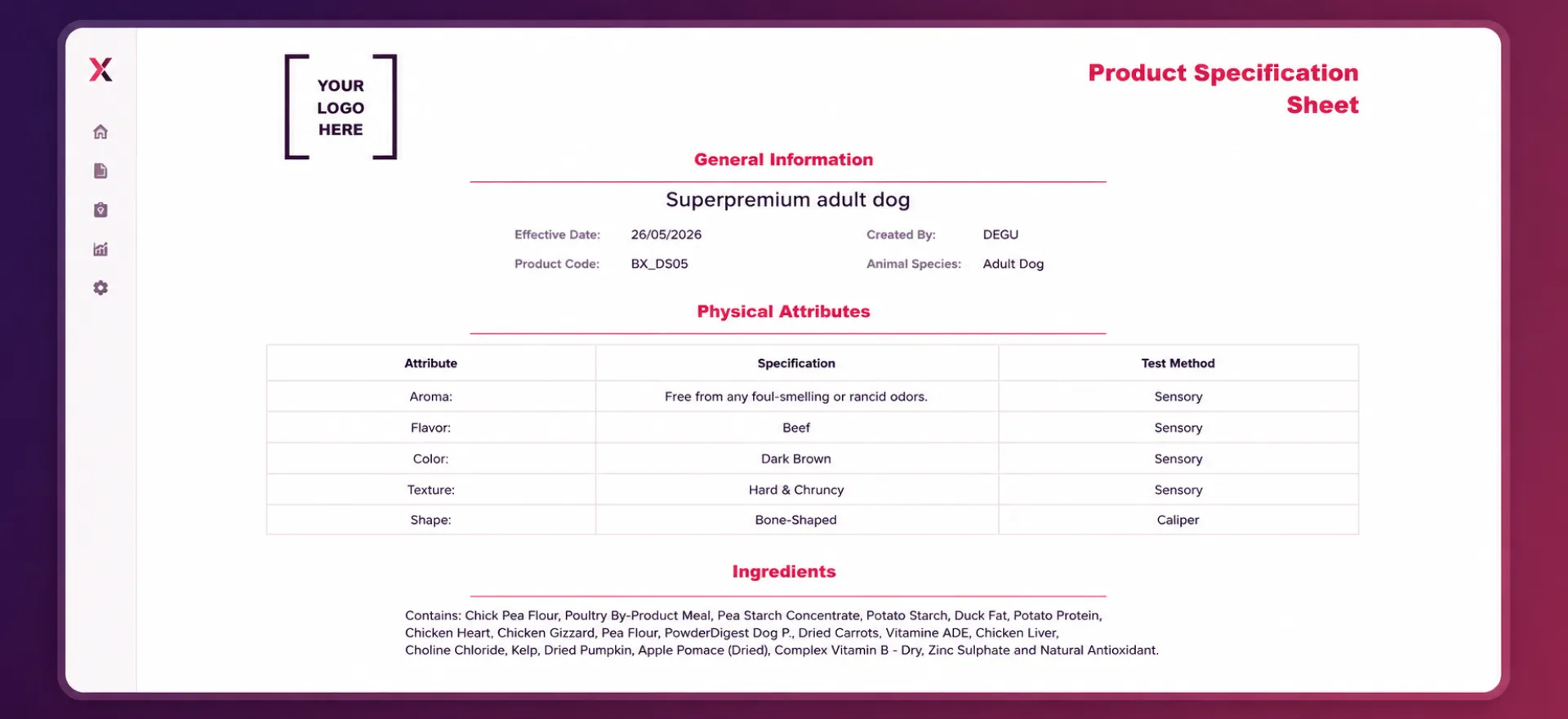
Generate ingredient declarations, specification sheets, and Pet Nutrition Facts panels automatically from the latest approved recipe version, reducing manual work and labeling errors.
Use supplier analyses, laboratory results and NIR data to keep formulations aligned with actual ingredient quality rather than outdated averages. Improve formulation accuracy and make more confident decisions.
Meet AAFCO and FEDIAF requirements with built-in nutrient frameworks, validation rules and automated compliance checks throughout the entire formulation process.
Validate grain-free, chicken-free, skin & coat, hairball, dental, and other product claims automatically. Ensure every claim is supported by the recipe and product specifications.
Re-optimize hundreds of recipes at once when ingredient costs, availability, or nutritional targets change. Instantly understand the impact on costs, ingredient usage, and purchasing plans.
billion lbs of pet food produced annually
reduction in raw material costs
hours saved annually per manufacturer
Find quick answers to the most common questions about BESTMIX® Recipe Management
Yes. BESTMIX® Recipe Management supports portfolio optimization across all formulas. Update ingredient prices once, and the system can reoptimize every formula in your portfolio at the same time while staying within approved ingredient ranges
A single run provides updated costs across the portfolio, updated bills of materials, a consolidated ingredient consumption forecast, and a purchase plan by ingredient and plant. Results can be transferred to your ERP in one step, helping teams respond quickly to changing market conditions without manually updating formulas one by one.
Yes. AAFCO nutrient profiles are included in the BESTMIX pet food database. When you select a life stage, such as adult maintenance or growth, the corresponding nutrient requirements and parameters are loaded automatically.
You can apply AAFCO values as active optimization constraints or use them as reference targets during formulation. BESTMIX also allows you to combine AAFCO requirements with your own internal nutritional standards and specifications.
Yes. BESTMIX can manage and validate claims based on ingredient presence or absence, nutrient thresholds, or a combination of both. This supports claims such as grain-free, chicken-free, skin & coat, hairball control, high protein, and other product-specific requirements.
Recipes are automatically checked against the selected claims, with clear visibility into whether a claim passes or fails and which ingredient or nutrient is affecting the result.
The same claim definitions can also be used in product specifications and labels, helping ensure that claims printed on the package are supported by the recipe itself.
Yes. Every time you save a new version of a recipe, the ingredient statement, specification sheet, and Pet Nutrition Facts panel regenerate automatically from the updated composition. No retyping and no manual cross-referencing between formulation and labeling.
The Pet Nutrition Facts panel follows the U.S. Pet Food Labeling Modernization (PFLM) layout and includes guaranteed analysis, ingredient order, calorie content, and required statements in line with current AAFCO requirements.
Outputs can be generated as PDF, TIFF, Word, or XML files for direct printing or integration with external label design systems such as NiceLabel. Labels can also be generated directly from the recipe for review before committing a new product version.
Yes. Priority rules allow you to control the order in which ingredients appear in the ingredient statement. Priorities can be assigned to individual ingredients or ingredient categories, and multiple priority levels can be used to define the final declaration order. Minimum percentage differences between ingredients can also be configured to prevent the order from changing during optimization.
This is especially valuable in pet food manufacturing, where a change to the printed ingredient order may trigger a regulatory review or re-registration process. By locking ingredient order through priority rules, manufacturers can reoptimize for cost or ingredient availability without changing the printed label.
You receive a starter ingredient library so your team does not have to build everything from scratch. It is sourced from USDA FoodData Central, the same public reference database widely used across the food and pet food industry, and includes many of the most commonly used pet food ingredients, including proteins, vegetables, grains, fats, and functional ingredients with published nutrient profiles. You can review the ingredient list before you commit, so you know exactly what is included.
The starter database is a foundation, not a finished database. Once it is loaded into your environment, the data is yours to maintain, verify against supplier certificates of analysis, and adapt to your own supply chain. No formulation platform can guarantee specific ingredient values because no two supply chains are the same. The starter gets you in the ballpark; your supplier data gets you to precision.
Most customers take a mix-and-match approach during onboarding: using the BESTMIX starter library for common ingredients while adding proprietary ingredients, custom premixes, and supplier-specific materials from their own COA data. Your BESTMIX implementation team guides you through both options during setup, and the decision is yours per ingredient category. Adding a new ingredient typically takes only a few minutes once the supplier specification is available.
BESTMIX does not change anything in your environment without your permission. If you want to refresh the starter data later—for example when USDA publishes updates, AAFCO releases revised nutrient profiles, or your ingredient portfolio changes—you can request an update through the BESTMIX Customer Support Portal. A technical consultant can update the selected ingredients using the latest USDA or AAFCO reference data. Refreshes are handled as consulting services and scoped separately from the standard subscription.
This approach helps teams start formulating quickly without spending weeks manually entering ingredients, while ensuring recipes reflect the reality of their own supply chain rather than generic industry averages.
Yes. BESTMIX uses plant-specific ingredient overlays. A single ingredient maintains one master record, while each production site can have its own nutrient values, unit costs, sustainability scores, shelf-life behaviour, and other local specifications.
The formulation engine automatically applies the correct plant-specific values based on where the product is being manufactured.
This helps avoid a common problem in formulation systems where separate ingredient records are created for every plant variation. Instead of maintaining multiple versions of the same ingredient, manufacturers can manage one ingredient with site-specific overlays, keeping the database clean, consistent, and easier to maintain.
The same approach also supports plant-specific sustainability scoring, allowing the system to reflect differences in sourcing and transport impacts by location rather than relying on a single global average.
Yes. Optimization parametrics let you select a price or formulation constraint, define a From / Till / Step range, and automatically run optimization scenarios across the entire range.
Results can be viewed as Value, Difference, or Difference % across composition, nutrient analysis, and cost, and can be exported to Excel for further evaluation.
For example, you can analyze what happens to recipe cost, composition, and nutrient levels if a crude protein minimum changes from 23% to 30% in 1% increments, without manually creating and optimizing multiple versions of the recipe.
Personalisation
See the current personalisation segmentation scoring or apply a manual segmentation to test